> ## Documentation Index
> Fetch the complete documentation index at: https://mux.coder.com/llms.txt
> Use this file to discover all available pages before exploring further.
# SSH Runtime
> Run agents on remote hosts over SSH for security and performance
Mux can run workspaces on a remote host over SSH. When configured, tool operations (file reads/edits, `bash`, etc.) execute on the remote machine.
## Threat model
Mux treats the remote host as potentially hostile. By default it does **not** forward your local keys or credentials.
The only data synced to the remote machine is:
* a git archive of the project
* [Project Secrets](/config/project-secrets) (explicitly configured)
## Why use SSH runtime
* **Security**: Prompt injection risk is contained to the credentials/files on the remote machine.
* SSH remotes pair well with [Agentic Git Identity](/config/agentic-git-identity).
* **Performance**: Run many agents in parallel without burning laptop CPU/battery.
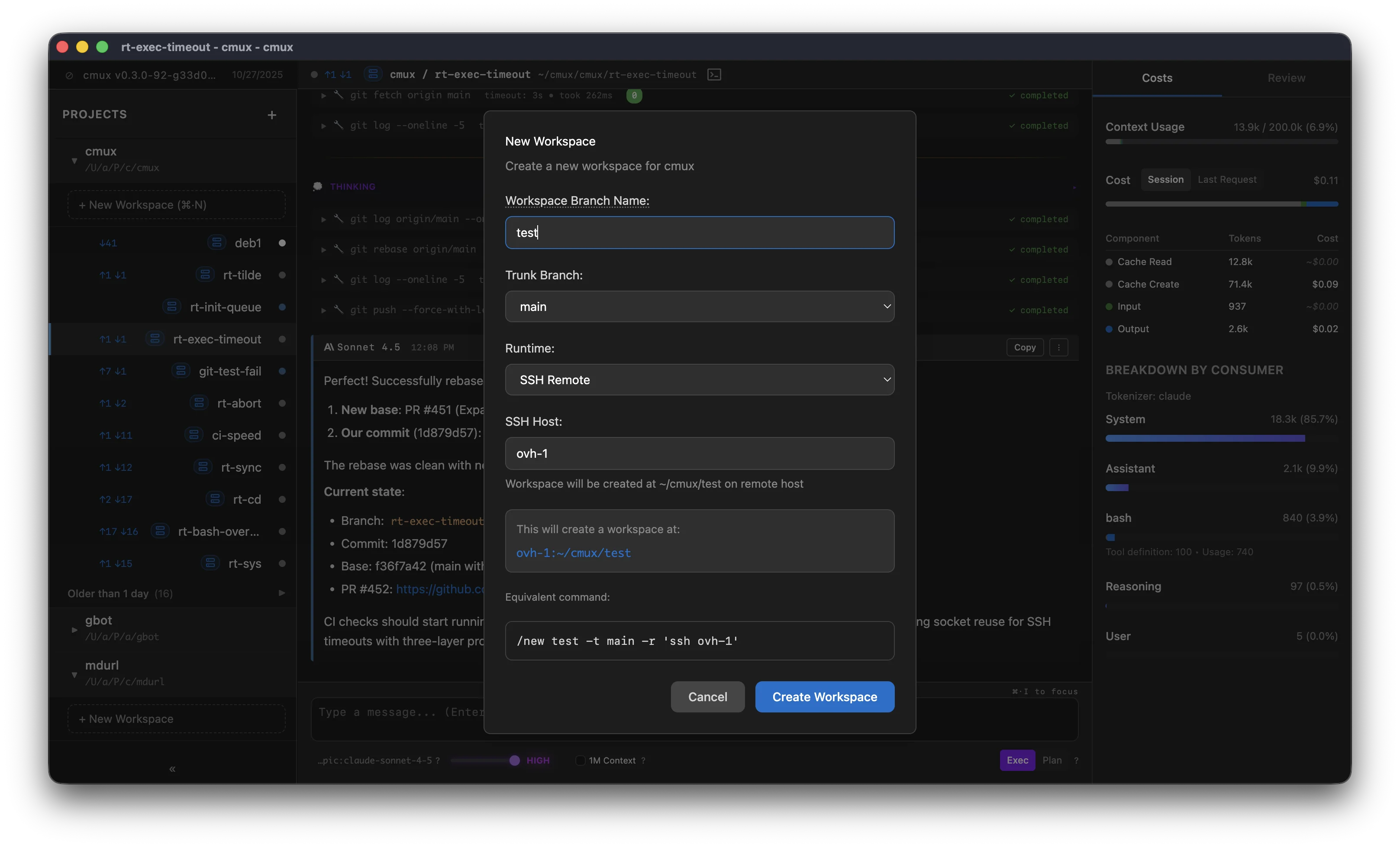 ## Host value
The host field accepts anything you can pass to `ssh `:
* a hostname (for example `my-server.com`)
* a username and hostname (for example `user@my-server.com`)
* an alias from your `~/.ssh/config` (for example `my-server`)
Mux delegates SSH configuration to your system `ssh` command, so advanced settings live in `~/.ssh/config`.
Example entry:
```text theme={null}
Host ovh-1
HostName 148.113.1.1
User root
```
## Authentication
Mux delegates to `ssh`. This is an abbreviated reference of common ways `ssh` authenticates.
### Local default keys
`ssh` checks these locations by default:
```text theme={null}
~/.ssh/id_rsa
~/.ssh/id_ecdsa
~/.ssh/id_ecdsa_sk
~/.ssh/id_ed25519
~/.ssh/id_ed25519_sk
```
### SSH agent
If you have an SSH agent running, add your key:
```bash theme={null}
ssh-add ~/.ssh/my_key_ecdsa
```
### `~/.ssh/config`
You can also set an explicit identity file:
```text theme={null}
Host my-server
HostName 148.113.1.1
User root
IdentityFile ~/.ssh/id_rsa
```
## Coder Workspaces
If you use [Coder](https://coder.com), see the [Coder runtime](/runtime/coder) page.
## Host value
The host field accepts anything you can pass to `ssh `:
* a hostname (for example `my-server.com`)
* a username and hostname (for example `user@my-server.com`)
* an alias from your `~/.ssh/config` (for example `my-server`)
Mux delegates SSH configuration to your system `ssh` command, so advanced settings live in `~/.ssh/config`.
Example entry:
```text theme={null}
Host ovh-1
HostName 148.113.1.1
User root
```
## Authentication
Mux delegates to `ssh`. This is an abbreviated reference of common ways `ssh` authenticates.
### Local default keys
`ssh` checks these locations by default:
```text theme={null}
~/.ssh/id_rsa
~/.ssh/id_ecdsa
~/.ssh/id_ecdsa_sk
~/.ssh/id_ed25519
~/.ssh/id_ed25519_sk
```
### SSH agent
If you have an SSH agent running, add your key:
```bash theme={null}
ssh-add ~/.ssh/my_key_ecdsa
```
### `~/.ssh/config`
You can also set an explicit identity file:
```text theme={null}
Host my-server
HostName 148.113.1.1
User root
IdentityFile ~/.ssh/id_rsa
```
## Coder Workspaces
If you use [Coder](https://coder.com), see the [Coder runtime](/runtime/coder) page.